Затрудняетесь с ИИ или разработкой полного стека? Наши эксперты готовы помочь вам: индивидуальные консультации, техническая интеграция и многое другое. Обращайтесь по адресу [email protected].

Эффективное использование ChatDolphin, альтернативы ChatGPT, с помощью простых инструкций

Компания NLP Cloud разработала мощную альтернативу OpenAI ChatGPT под названием ChatDolphin. Эти модели ИИ интересны тем, что они очень хорошо понимают простые инструкции на естественном языке, не прибегая к малоинформативному обучению и сложной разработке подсказок. Давайте посмотрим, как составлять такие инструкции, чтобы максимально использовать ChatDolphin и ChatGPT.

ChatGPT и ChatDolphin

ChatGPT был выпущен в декабре 2022 года OpenAI как небольшая генеративная модель, которая очень хорошо понимает человеческие инструкции, оптимизированная для разговоров и больших подробных ответов. Похоже, что ChatGPT очень хорошо справляется со многими сценариями использования, а не только с разговорами. Как и GPT-3, ChatGPT можно использовать для резюмирования, перефразирования, извлечения сущностей и т. д. Благодаря своему небольшому размеру ChatGPT также дешевле GPT-3.

В апреле 2023 года NLP Cloud выпустила ChatDolphin, мощную альтернативу ChatGPT. ChatDolphin - это собственная модель NLP Cloud, которая очень хорошо понимает человеческие инструкции, обрабатывает разговоры и ведет себя точно так же, как ChatGPT. ChatDolphin также стоит недорого.

Ниже мы покажем вам примеры, полученные с помощью конечной точки генерации текста на NLP Cloud с ChatDolphin, с помощью клиента Python. Если вы хотите скопировать примеры, пожалуйста, не забудьте добавить свой собственный API-токен. Чтобы установить клиент Python, сначала выполните следующее: pip install nlpcloud.

Обучение в несколько приемов VS простые инструкции

Когда появились первые большие языковые модели, такие как GPT-J, OPT, Bloom и т.д., быстро выяснилось, что, несмотря на свою мощь, эти модели не способны понять простые человеческие инструкции, составленные на естественном языке.

Например, если вы хотите извлечь из фрагмента текста имя, должность и компанию, вам нужно сделать что-то вроде этого, используя GPT-J на NLP Cloud:

import nlpcloud
client = nlpcloud.Client("gpt-j", "your_token", gpu=True)
generation = client.generation("""[Text]: Fred is a serial entrepreneur. Co-founder and CEO of Platform.sh, he previously co-founded Commerce Guys, a leading Drupal ecommerce provider. His mission is to guarantee that as we continue on an ambitious journey to profoundly transform how cloud computing is used and perceived, we keep our feet well on the ground continuing the rapid growth we have enjoyed up until now. 
[Name]: Fred
[Position]: Co-founder and CEO
[Company]: Platform.sh
###
[Text]: Microsoft (the word being a portmanteau of "microcomputer software") was founded by Bill Gates on April 4, 1975, to develop and sell BASIC interpreters for the Altair 8800. Steve Ballmer replaced Gates as CEO in 2000, and later envisioned a "devices and services" strategy.
[Name]:  Steve Ballmer
[Position]: CEO
[Company]: Microsoft
###
[Text]: Franck Riboud was born on 7 November 1955 in Lyon. He is the son of Antoine Riboud, the previous CEO, who transformed the former European glassmaker BSN Group into a leading player in the food industry. He is the CEO at Danone.
[Name]:  Franck Riboud
[Position]: CEO
[Company]: Danone
###
[Text]: David Melvin is working for CITIC CLSA with over 30 years’ experience in investment banking and private equity. He is currently a Senior Adviser of CITIC CLSA.
""",
    top_p=0,
    length_no_input=True,
    end_sequence="###",
    remove_end_sequence=True,
    remove_input=True)
print(generation["generated_text"])

Эта техника, известная как "обучение несколькими выстрелами", или "оперативное проектирование", описана в отдельной статье: читайте статью здесь.

Обучение в несколько выстрелов очень хорошо работает на ChatGPT и ChatDolphin и позволяет получить очень продвинутые результаты. Но в большинстве случаев обучение с помощью нескольких выстрелов не нужно и неоправданно сложно. Кроме того, поскольку генеративные модели ИИ допускают только ограниченную длину входных данных, примеры с несколькими выстрелами иногда просто не вписываются в запрос.

Хорошая новость заключается в том, что при правильной настройке большие языковые модели могут научиться понимать человеческие инструкции без использования малозатратного обучения. Это как раз случай ChatGPT и ChatDolphin.

С этими моделями вот как будет выглядеть ваш запрос:

import nlpcloud
client = nlpcloud.Client("chatdolphin", "your_token", gpu=True)
generation = client.generation("""Extract name, position, and company, from the following text.

David Melvin working for CITIC CLSA with over 30 years’ experience in investment banking and private equity. He is currently a Senior Adviser of CITIC CLSA.""")
print(generation["generated_text"])

Выход:

Name: David Melvin
Position: Senior Adviser
Company: CITIC CLSA

Намного проще, не так ли? Теперь, что если мы хотим, чтобы результат был отформатирован как JSON? Вот простая инструкция:

import nlpcloud
client = nlpcloud.Client("chatdolphin", "your_token", gpu=True)
generation = client.generation("""Extract name, position, and company, from the following text. Format the result as JSON.

David Melvin working for CITIC CLSA with over 30 years’ experience in investment banking and private equity. He is currently a Senior Adviser of CITIC CLSA.""")
print(generation["generated_text"])

Выход:

{
"name": "David Melvin",
"position": "Senior Adviser",
"company": "CITIC CLSA"
}

Я думаю, вы поняли идею, не так ли?

Вы можете легко протестировать естественные инструкции на NLP Cloud Playground, в разделе генерации текста. Нажмите здесь, чтобы попробовать генерацию текста в Playground. Тогда просто воспользуйтесь одним из примеров, приведенных ниже в этой статье, и убедитесь в этом сами.
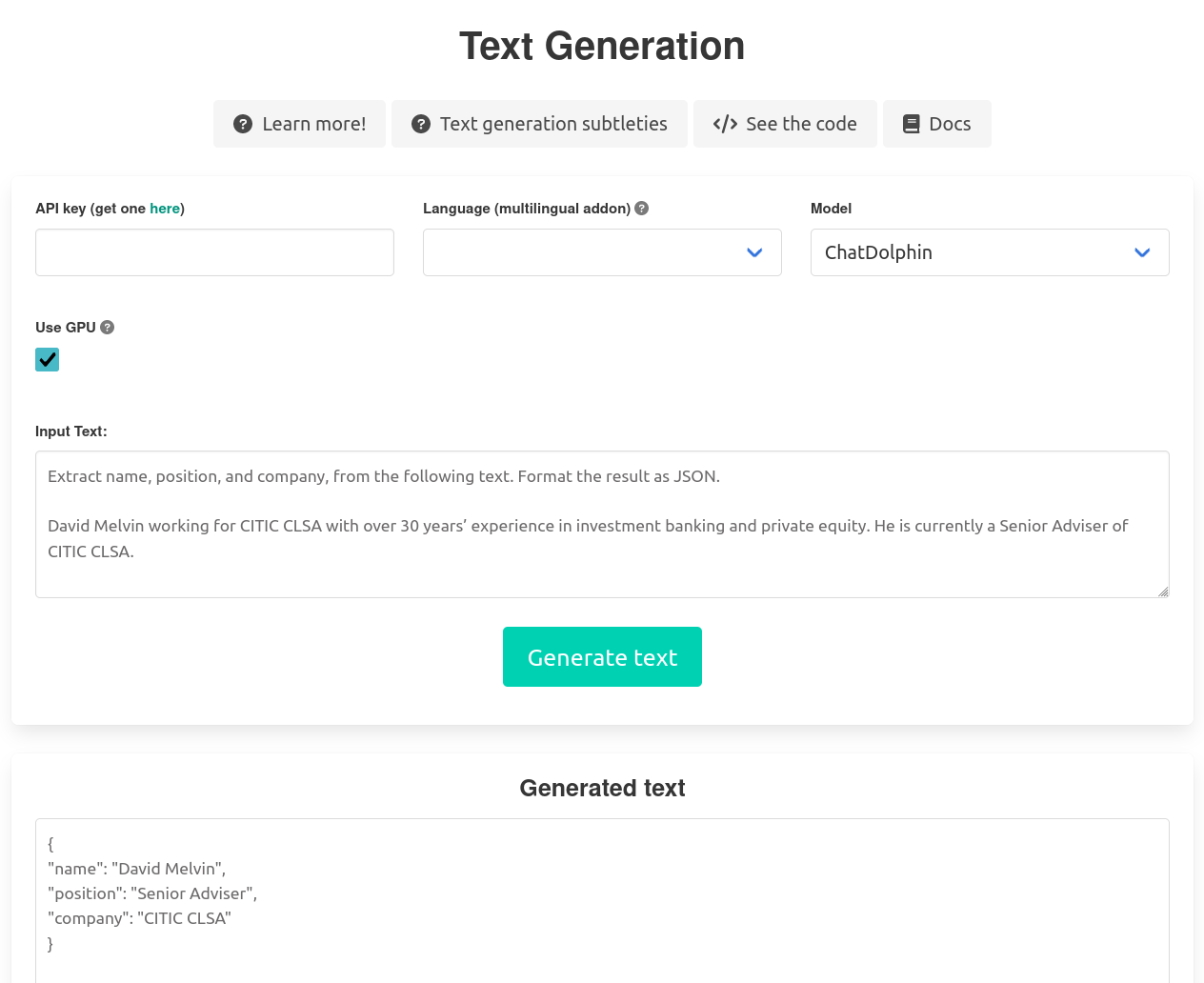
{%tr Пример извлечения сущностей с помощью ChatDolphin на NLP Cloud Playground tr%}
Пример извлечения сущностей с помощью ChatDolphin на площадке NLP Cloud Playground

Анализ настроения с помощью ChatDolphin

import nlpcloud
client = nlpcloud.Client("chatdolphin", "your_token", gpu=True)
generation = client.generation("""What is the sentiment in the following text? Positive, negative, or neutral? Answer with one word only.

The reactivity of your team has been amazing, thanks!""")
print(generation["generated_text"])

Выход:

Positive

Генерация HTML-кода с помощью ChatDolphin

import nlpcloud
client = nlpcloud.Client("chatdolphin", "your_token", gpu=True)
generation = client.generation("""Generate the HTML code for a a Headline saying "Welcome to AI"""")
print(generation["generated_text"])

Выход:

<h1>Welcome to AI</h1>

Ответы на вопросы с помощью ChatDolphin

import nlpcloud
client = nlpcloud.Client("chatdolphin", "your_token", gpu=True)
generation = client.generation("""Answer this question using the below context: Which plan is recommended for GPT-J? Make a short response.

Context: The main challenge with GPT-J is memory consumption. Using a GPU plan is recommended.""")
print(generation["generated_text"])

Выход:

Поскольку основной проблемой GPT-J является потребление памяти, для решения этой проблемы рекомендуется использовать план GPU. Поэтому рекомендуемым планом для GPT-J является план на GPU.

Создание учебников с помощью ChatDolphin

import nlpcloud
client = nlpcloud.Client("chatdolphin", "your_token", gpu=True)
generation = client.generation("""Create a tutorial about how to make a cake.""")
print(generation["generated_text"])

Выход:

Here's a step-by-step guide to making a cake:

Ingredients:

* 2 cups all-purpose flour
* 2 teaspoons baking powder
* 1 teaspoon salt
* 1 cup unsalted butter, at room temperature
* 1 cup granulated sugar
* 2 large eggs
* 2 teaspoons vanilla extract
* 1 cup whole milk, at room temperature

Equipment:

* 9-inch round cake pan
* Rubber spatula
* Whisk
* Measuring cups and spoons
* Mixing bowls

Instructions:

1. Preheat your oven to 350°F (180°C). Grease and flour your 9-inch round cake pan.
2. In a mixing bowl, whisk together flour, baking powder, and salt. Set aside.
3. In another mixing bowl, using an electric mixer, beat together the butter and sugar until light and fluffy. Add the eggs, one at a time, beating well after each addition. Stir in the vanilla extract.
4. Gradually add the dry ingredients to the butter mixture, alternating with the milk and mixing until just combined.
5. Pour the batter into the prepared cake pan.
6. Bake the cake for 30-35 minutes, or until a toothpick inserted into the center comes out clean.
7. Remove the cake from the oven and let it cool in the pan for 5-10 minutes. Then, remove the cake from the pan and let it cool completely on a wire rack.
8. Once the cake is completely cool, you can ice and decorate it if you like. Enjoy!

Note: You can also use other types of flour, such as almond or coconut flour, and substitute other sweetener for the sugar, like honey or maple syrup. You can also add other ingredients like chocolate chips, nuts, or dried fruits to the batter for added flavor and texture.

Исправление грамматики и орфографии с помощью ChatDolphin

import nlpcloud
client = nlpcloud.Client("chatdolphin", "your_token", gpu=True)
generation = client.generation("""Correct spelling and grammar mistakes from the following text.

I do not wan to go""")
print(generation["generated_text"])

Выход:

Я не хочу идти

Машинный перевод с помощью ChatDolphin

import nlpcloud
client = nlpcloud.Client("chatdolphin", "your_token", gpu=True)
generation = client.generation("""Translate the following content to English.

NLP Cloud permet de deployer le NLP en production facilement.""")
print(generation["generated_text"])

Выход:

NLP Cloud makes it easy to deploy NLP in production.

Генерация твитов с помощью ChatDolphin

import nlpcloud
client = nlpcloud.Client("chatdolphin", "your_token", gpu=True)
generation = client.generation("""Generate a Tweet about NLP.""")
print(generation["generated_text"])

Выход:

NLP is revolutionizing the way we communicate with computers. From voice assistants to chatbots, natural language processing is making interactions with technology more human-like than ever before. Exciting times ahead for this field! #NLP #AI #Technology

Классификация намерений с помощью ChatDolphin

import nlpcloud
client = nlpcloud.Client("chatdolphin", "your_token", gpu=True)
generation = client.generation("""What is the main intent in the following text?

Hello

I spent some time on your documentation but I could not figure how to add a new credit card.
It is a problem because my current card is going to expire soon and I'm affraid that it will cause a service disruption.
How can I update my credit card?

Thanks in advance,

Looking forward to hearing from you,

John Doe""")
print(generation["generated_text"])

Выход:

The main intent behind the text is to inquire about the process for updating a credit card in a service.

Перефразирование с помощью ChatDolphin

import nlpcloud
client = nlpcloud.Client("chatdolphin", "your_token", gpu=True)
generation = client.generation("""Paraphrase the following text.

After a war lasting 20 years, following the decision taken first by President Trump and then by President Biden to withdraw American troops, Kabul, the capital of Afghanistan, fell within a few hours to the Taliban, without resistance.""")
print(generation["generated_text"])

Выход:

Following a 20-year war that was initially approved by President Trump and then continued under President Biden's leadership, American soldiers were withdrawn from Afghanistan. As a result, the Taliban was able to easily seize control of Kabul, the capital of Afghanistan, without encountering any resistance.

Суммирование с помощью ChatDolphin

import nlpcloud
client = nlpcloud.Client("chatdolphin", "your_token", gpu=True)
generation = client.generation("""Summarize the following text.

For all its whizz-bang caper-gone-wrong energy, and for all its subsequent emotional troughs, this week’s Succession finale might have been the most important in its entire run. Because, unless I am very much wrong, Succession – a show about people trying to forcefully mount a succession – just had its succession. And now everything has to change.
The episode ended with Logan Roy defying his children by selling Waystar Royco to idiosyncratic Swedish tech bro Lukas Matsson. It’s an unexpected twist, like if King Lear contained a weird new beat where Lear hands the British crown to Jack Dorsey for a laugh, but it sets up a bold new future for the show. What will happen in season four? Here are some theories.
Season three of Succession picked up seconds after season two ended. It was a smart move, showing the immediate swirl of confusion that followed Kendall Roy’s decision to undo his father, and something similar could happen here. This week’s episode ended with three of the Roy siblings heartbroken and angry at their father’s grand betrayal. Perhaps season four could pick up at that precise moment, and show their efforts to reorganise their rebellion against him. This is something that Succession undoubtedly does very well – for the most part, its greatest moments have been those heart-thumping scenes where Kendall scraps for support to unseat his dad – and Jesse Armstrong has more than enough dramatic clout to centre the entire season around the battle to stop the Matsson deal dead in its tracks.""")
print(generation["generated_text"])

Выход:

The Succession finale had a succession, with Logan Roy selling Waystar Royco to Lukas Matsson, which sets up a bold new future for the show. The third season picked up seconds after the second season ended, and the next season could pick up at the moment where the Roy siblings are heartbroken and angry at their father's betrayal, centering the season around their rebellion against him.

Классификация текста с нулевого снимка с помощью ChatDolphin

import nlpcloud
client = nlpcloud.Client("chatdolphin", "your_token", gpu=True)
generation = client.generation("""In one word, what is the main topic in the following text?

After a war lasting 20 years, following the decision taken first by President Trump and then by President Biden to withdraw American troops, Kabul, the capital of Afghanistan, fell within a few hours to the Taliban, without resistance.""")
print(generation["generated_text"])

Выход:

war

Извлечение ключевых слов и ключевых фраз с помощью ChatDolphin

import nlpcloud
client = nlpcloud.Client("chatdolphin", "your_token", gpu=True)
generation = client.generation("""Extract the main keywords from the following text.

Since transformer models have a token limit, you might run into some errors when inputting large documents. In that case, you could consider splitting up your document into paragraphs and mean pooling (taking the average of) the resulting vectors.""")
print(generation["generated_text"])

Выход:

Token limit, large documents, transformer models, splitting, paragraphs, mean pooling, tokenizing, vectorization.

Описание продукта и генерация рекламы с помощью ChatDolphin

import nlpcloud
client = nlpcloud.Client("chatdolphin", "your_token", gpu=True)
generation = client.generation("""Generate a product description out of the following keywords: t-shirt, men, $39""")
print(generation["generated_text"])

Выход:

Introducing our premium t-shirt for men, made with high-quality materials and craftsmanship. This $39 t-shirt is designed to provide comfort and style, making it the perfect addition to any man's wardrobe. With a range of colors and sizes to choose from, you're sure to find the perfect t-shirt to suit your style. Whether you're running errands or hanging out with friends, our t-shirt is the perfect choice for any occasion.

Blog Post Generation With GPT-J

import nlpcloud
client = nlpcloud.Client("gpt-j", "your_token", gpu=True)
generation = client.generation("""Generate a whole blog article in HTML format about the following topic: 4 Best Tips to Find a Girlfriend
The article should contain the following keywords: Paris, romance, love""")
print(generation["generated_text"])

Выход:

<html>
<head>
<title>4 Best Tips to Find a Girlfriend</title>
<meta charset="UTF-8">
<meta name="description" content="Looking for love in Paris? Follow these four tips to find your perfect girlfriend.">
</head>
<body>
<h1>4 Best Tips to Find a Girlfriend in Paris</h1>
<p>Are you tired of the dating scene in Paris and ready to find a serious relationship? Finding a girlfriend in the City of Love can seem like a daunting task, but with these four tips, you can increase your chances of finding lasting love.</p>
<h2>1. Be Open-Minded</h2>
<p>One of the biggest mistakes people make when looking for a girlfriend is being too picky. Instead of focusing on the little things that might be deal breakers, be open to different types of people and personalities. You never know who you might hit it off with if you keep an open mind.</p>
<h2>2. Join a Social Club or Group</h2>
<p>Joining a social club or group that aligns with your interests can be a great way to meet new people and potentially find a girlfriend. Whether it's a book club, a sports team, or a Language exchange group, there are plenty of options to choose from in Paris. You can also sign up for online dating apps, but the chances of finding a meaningful connection are higher when you have something in common.</p>
<h2>3. Take Romantic Strolls</h2>
<p>Paris is known for its romantic atmosphere, and taking a stroll along the Seine or through the Luxembourg Gardens can be a great way to impress a potential girlfriend. Pack a picnic basket and enjoy a romantic lunch in the park, or take a boat ride down the Seine for a unique date. These memorable experiences can help you build a strong bond with someone special.</p>
<h2>4. Be Patient</h2>
<p>Finding a girlfriend in Paris takes time, just like finding love anywhere else. Don't get discouraged if things don't happen right away. Instead, focus on building genuine connections and getting to know people. The right person will come along when you least expect it, so be patient and keep an open mind.</p>
<p>By following these four tips, you can increase your chances of finding a girlfriend in Paris and experiencing the joys of lasting love. Remember to be open-minded, join social clubs or groups, take romantic strolls, and be patient. Good luck!</p>
<p>If you are looking for a girlfriend, here are some more tips to consider:<br><br>- Have a clear idea of what you want in a partner.<br>- Be confident and approachable.<br>- Show genuine interest in the person you're dating.<br>- Be respectful and treat your date with kindness and attention.</p>
<p>If you enjoyed this article, please like it on social media and share it with your friends. Your support helps us continue to provide valuable content.</p>
<p>For more tips and advice on dating and relationships, check out our blog.</p>
</body>
</html>

Заключение

Как видите, ChatGPT и ChatDolphin можно легко использовать для многих случаев применения, не прибегая к обучению в несколько приемов!

Возможности бесчисленны! Идея заключается в том, чтобы быть очень ясным и четким в своих инструкциях, чтобы модель правильно понимала, чего вы хотите.

Надеюсь, вы нашли это полезным! Если у вас есть вопросы о том, как максимально эффективно использовать эти модели, пожалуйста не стесняйтесь задавать их нам.

François
Full-stack инженер в NLP Cloud