由于有GPT-3、GPT-J和GPT-NeoX等优秀的人工智能模型,在Discord服务器中建立一个聊天机器人非常容易。在这篇文章中,我们将向你展示如何通过NLP Cloud API使用GPT-J和GPT-NeoX在Node.js中编写自己的对话机器人。

由于有GPT-3、GPT-J和GPT-NeoX等优秀的人工智能模型,在Discord服务器中建立一个聊天机器人非常容易。在这篇文章中,我们将向你展示如何通过NLP Cloud API使用GPT-J和GPT-NeoX在Node.js中编写自己的对话机器人。
Discord是一个广泛采用的消息平台。越来越多的人看到人们为他们的项目创建自己的Discord服务器,以使社区能够轻松地聚集在一起。许多公司实际上已经创建了自己的Discord服务器,以培养自己的用户社区。
Discord既可以自我托管,也可以通过Discord网络应用程序使用。Discord的一个好处是它有一个广泛的API与服务器互动,创建一个能与Discord上的用户互动的聊天机器人非常容易。
许多人在 Discord 上创建了聊天机器人,因此用户可以与人工智能讨论许多事情。将聊天机器人整合到你的 Discord 服务器中是非常容易的。让我们看看如何做到这一点!
在过去的两年中,有几个伟大的AI模型被发布。GPT-3, GPT-J, 和GPT-NeoX。这些模型非常令人印象深刻,尤其擅长处理对话式人工智能(即聊天机器人)。
你可以用这些模型对任何事物进行很好的讨论,而且很容易将这些模型适应于特定的情况。例如,您可以将您的基于GPT的聊天机器人配置为具有同情心、讽刺性,甚至擅长回答有关您自己行业(医疗、法律、营销等)的特定问题。
唯一的问题是,这些模型需要大量的计算能力,所以很少有人能真正负担得起在自己的服务器上部署它们。NLP Cloud通过API提出了GPT-J和GPT-NeoX,所以我们将在下面的例子中通过NLP Cloud的API使用这些模型。
我们假设你已经在Discord.com上创建了一个账户。转到开发者门户。 这里. 选择 "新的应用程序",命名你的应用程序,并创建它。
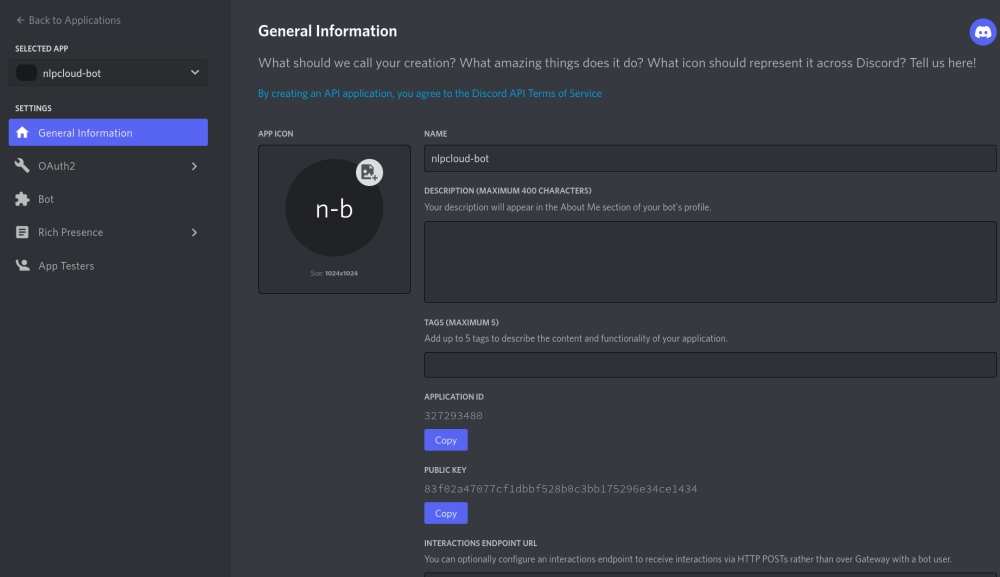
现在点击 "添加一个机器人",并检索你的机器人令牌。
最后一步:将你的机器人链接到你的Discord服务器。为了做到这一点,首先点击 "OAuth2 "菜单,检索你的客户ID。
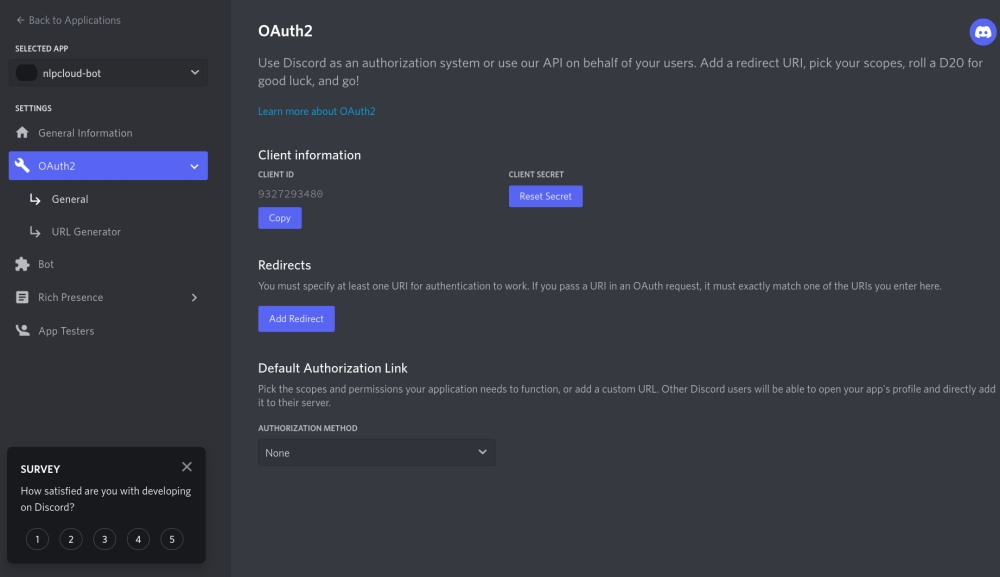
然后允许你的机器人通过访问以下网址来访问你的服务器:https://discord.com/oauth2/authorize?scope=bot&permissions=8&client_id=CLIENT_ID(将CLIENT_ID替换为你之前检索到的自己的客户端ID)。
Discord方面一切正常。现在让我们检索一个NLP云的API令牌吧!
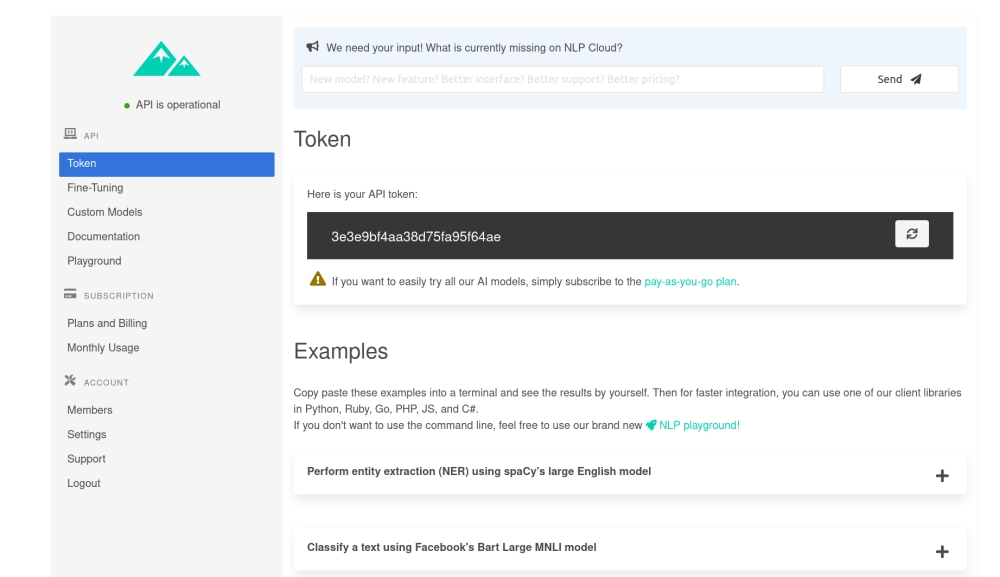
我们假设你已经在NLP Cloud上创建了一个账户。只需在你的仪表板上检索你的API令牌。
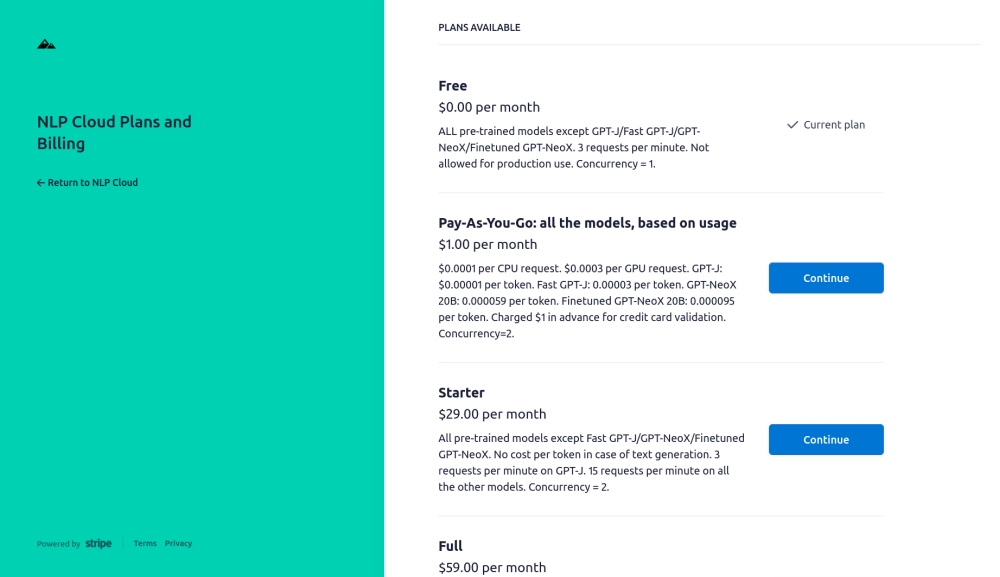
然后订阅现收现付计划,这将使你获得GPT-J和GPT-NeoX模型(前10万个代币是免费的,这将使你的测试更加容易)。
你现在可以开始编写你的Node.js机器人的代码了!
Discord和NLP Cloud都有Node.js客户端,所以开发将非常容易。
这里是第一个版本。
const NLPCloudClient = require('nlpcloud');
const { Client, Intents } = require('discord.js');

// Load NLP Cloud token and Discord Bot token.
const nlpcloudToken = process.env.NLPCLOUD_TOKEN;
if (nlpcloudToken == null) {
    console.error('No NLP Cloud token received');
    process.exit();
}
const discordBotToken = process.env.DISCORD_BOT_TOKEN;
if (discordBotToken == null) {
    console.error('No Discord bot token received');
    process.exit();
}

// Initialize the NLP Cloud and Discord clients.
const nlpCloudClient = new NLPCloudClient('fast-gpt-j', nlpcloudToken, true)
const discordClient = new Client({intents: [Intents.FLAGS.GUILDS, Intents.FLAGS.GUILD_MESSAGES]});

let history = [];

discordClient.on("messageCreate", function(message) {
    if (message.author.bot) return;

    (async () => {
        // Send request to NLP Cloud.
        const response = await nlpCloudClient.chatbot(`${message.content}`, '', history);

        // Send response to Discord bot.
        message.reply(`${response.data['response']}`);

        // Add the request and response to the chat history.
        history.push({'input':`${message.content}`,'response':`${response.data['response']}`});

    })();
    });
正如你所看到的,我们首先从环境变量中检索出Discord和NLP Cloud的令牌。因此,首先在2个环境变量中导出你的令牌,名为 "NLPCLOUD_TOKEN "和 "DISCORD_BOT_TOKEN"。如果你愿意,你也可以在测试中直接在代码中复制粘贴你的令牌。
我们正在使用NLP Cloud的快速GPT-J模型--GPT-J的更快实现--这对聊天机器人很有意思,因为我们通常希望响应时间越短越好。如果你想使用GPT-NeoX 20B,只需使用 "gpt-neox-20b "而不是 "fast-gpt-j"。
NLP Cloud的 "chatbot() "函数使我们可以很容易地处理基于GPT模型的聊天机器人,而不必为复杂的参数、提示、少量学习等问题而烦恼。唯一的诀窍是,在每个聊天机器人的回应之后,我们必须将回应保留在内存中,并将其添加到历史记录中,供后续请求使用。如果我们不这样做,聊天机器人将永远不会记住对话的历史
我们的聊天机器人现在可以工作了。只要启动你的脚本(例如用 "node my_script.js"),你应该看到你的聊天机器人在你的Discord服务器上在线。你可以开始与它进行真正的对话了
我们的例子可行,但有一个弱点。GPT模型不能同时处理超过2048个tokens(2048个tokens或多或少等于1700字)。因此,在某些时候,你的聊天机器人历史可能会变得太大,你需要将其截断。以下是你如何做到这一点的。
const NLPCloudClient = require('nlpcloud');
const { Client, Intents } = require('discord.js');

// Load NLP Cloud token and Discord Bot token.
const nlpcloudToken = process.env.NLPCLOUD_TOKEN;
if (nlpcloudToken == null) {
    console.error('No NLP Cloud token received');
    process.exit();
}
const discordBotToken = process.env.DISCORD_BOT_TOKEN;
if (discordBotToken == null) {
    console.error('No Discord bot token received');
    process.exit();
}

// Initialize the NLP Cloud and Discord clients.
const nlpCloudClient = new NLPCloudClient('fast-gpt-j', nlpcloudToken, true)
const discordClient = new Client({intents: [Intents.FLAGS.GUILDS, Intents.FLAGS.GUILD_MESSAGES]});

let history = [];
let charsCount = 0;

discordClient.on("messageCreate", function(message) {
    if (message.author.bot) return;

    (async () => {
        charsCount += `${message.content}`.length;

        // Send request to NLP Cloud.
        const response = await nlpCloudClient.chatbot(`${message.content}`, '', history);

        charsCount += `${response.data['response']}`.length;

        // Send response to Discord bot.
        message.reply(`${response.data['response']}`);

        // Add the request and response to the chat history.
        history.push({'input':`${message.content}`,'response':`${response.data['response']}`});

        // If the chat history is bigger than 1500 tokens, we remove the oldest elements from
        // the history. We consider that 1 token = 4 characters.
        // The theoretical GPT context limit is 2048 tokens but we choose 1500 tokens instead
        // in order to be safe since the tokens count is not perfectly accurate.
        while (charsCount > 1500 * 4) {
            charsCount -= history[0]['input'].length + history[0]['response'].length;
            history.shift();
        }
    })();
    });


discordClient.login(discordBotToken);
正如你所看到的,我们只是确保历史不会太大,而当它是大的时候,我们会删除最古老的元素!这就是我们的工作。
在实践中,这很少是一个问题,因为历史上最古老的元素很少与对话相关。但如果它们是,你也可以实施一个更高级的策略,即根据其相关性有选择地保留和删除一些元素。
由于有了Discord和GPT模型,构建一个先进的聊天机器人从未如此简单。
主要的挑战是,这些现代人工智能模型由于其巨大的规模而越来越难使用,这就是为什么使用像NLP Cloud这样的API反而会简单得多,而且成本效益更高。
如果您想实施自己的聊天机器人,但不确定如何处理,请毫不犹豫地联系我们
Julien Salinas
NLP Cloud的首席技术官